
Build
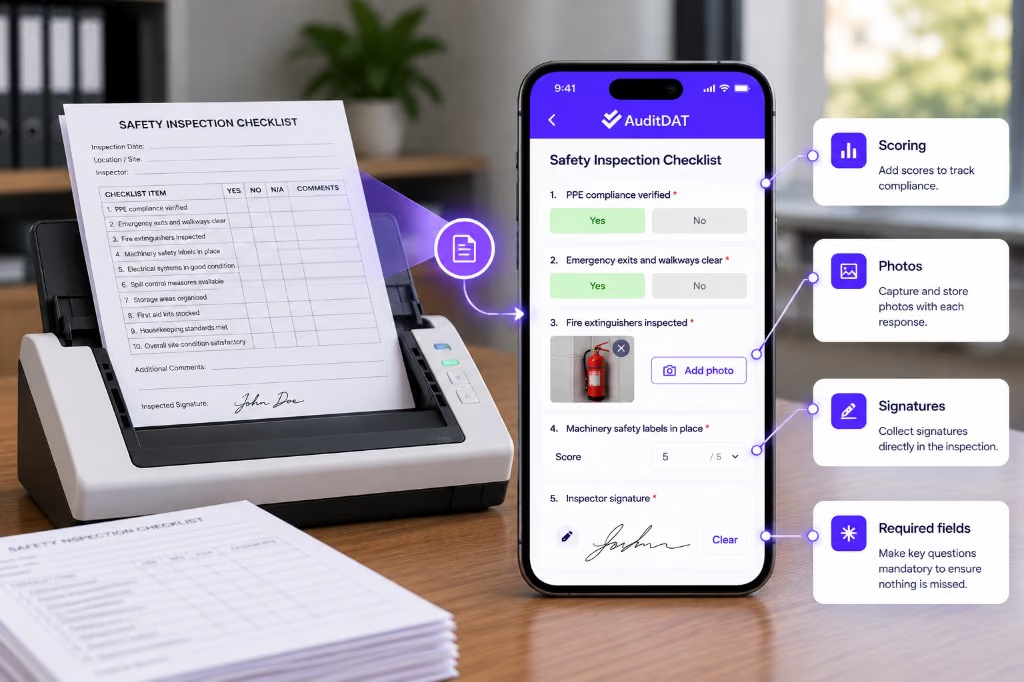
Create templates or digitise the checklists you already use, with scoring, photos, signatures and required fields included.
Meet AuditDAT
AuditDAT is an inspection app for site teams in Ghana, Nigeria and similar markets. It covers the whole job: build, inspect, capture, act, report and see. Replace paper, WhatsApp, Excel and email with one system your team can run on site, even with no internet.
How it works
Send five of your current forms. We will show you AuditDAT running your inspections, not a sample tour.
Create templates or digitise the checklists you already use, with scoring, photos, signatures and required fields included.
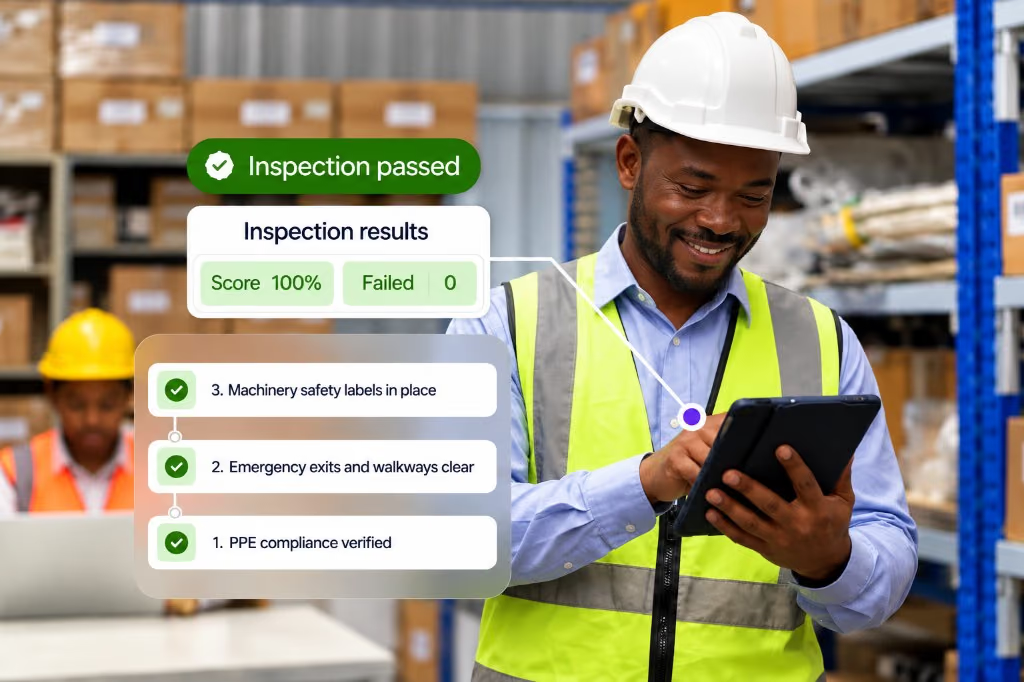
Run scheduled or ad-hoc inspections on phone or tablet. Works with no internet. Pass/fail and scores show while you are still on site.
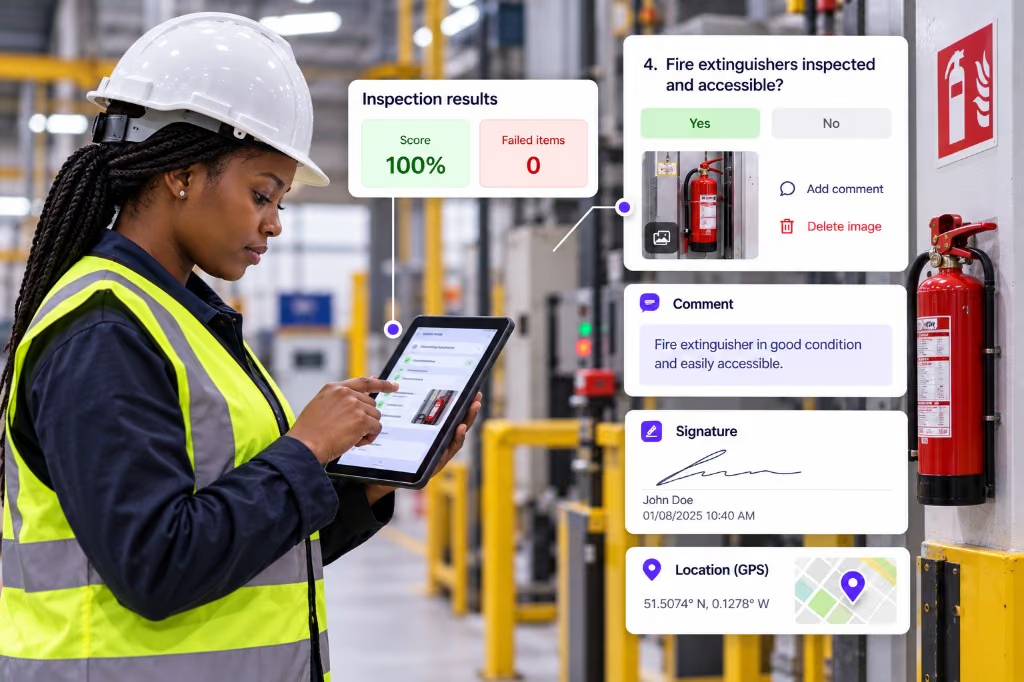
Photos, comments, signatures and GPS stay on the inspection instead of getting lost in a WhatsApp group.
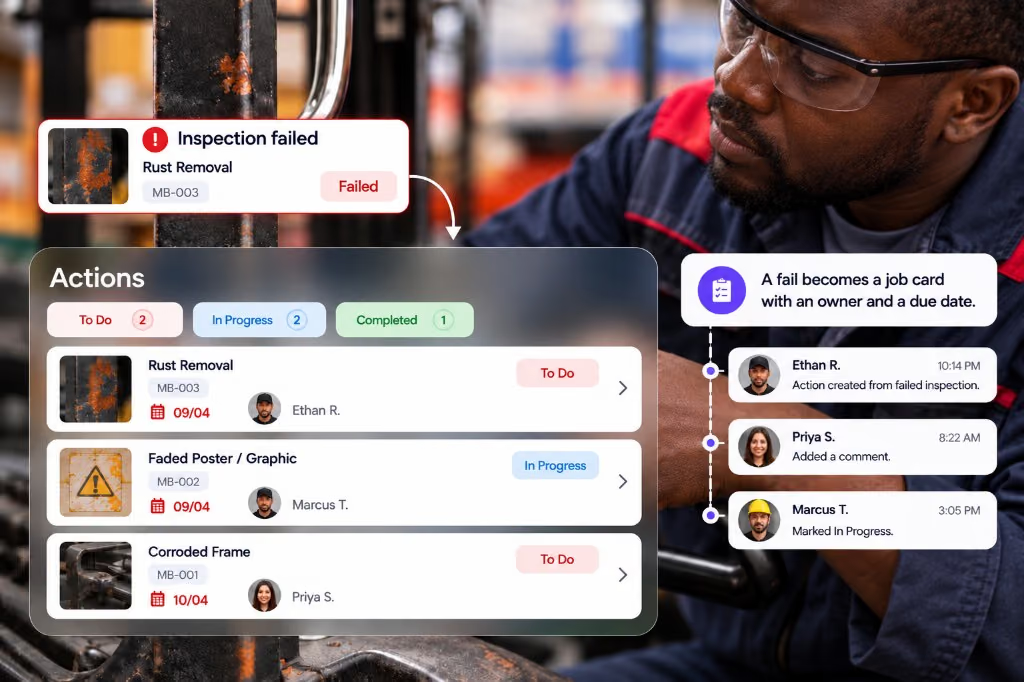
A fail becomes a job card with an owner and a due date. Follow-ups survive shift changes.
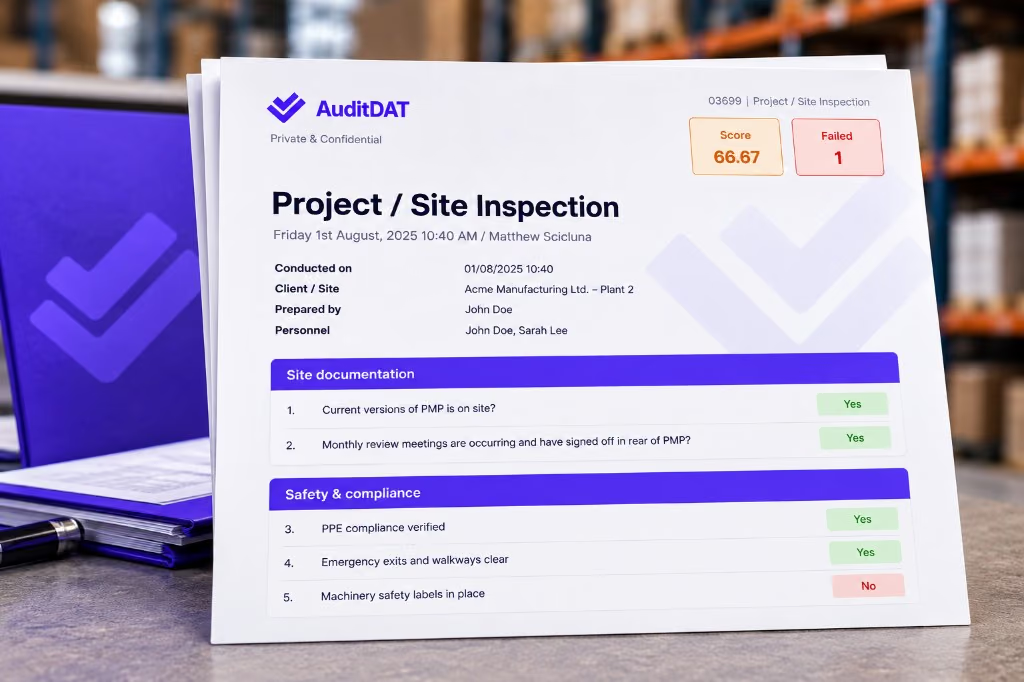
Get a branded PDF or CSV when the inspection finishes. No evening Excel rebuild.
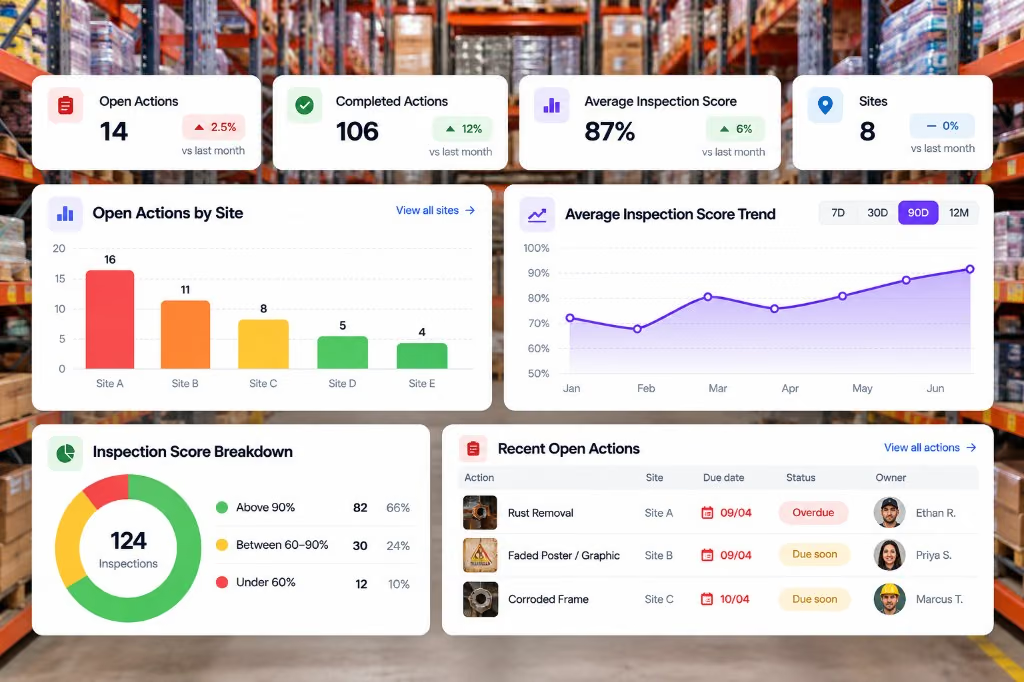
Analyse open jobs, scores and trends across sites, so managers are not waiting on emailed report packs.
Build & inspect
Digitise the checklists you already use, or create new ones. Run the check on a phone, even with no signal. Answers sync when you reconnect.
Send PDF, Excel, Word or paper forms. We build up to five for free for the demo, or you can create templates yourself.
Mix text, checklists, signatures, notes, QR scans, required fields, scoring and custom fields on the same form.
Finish the inspection with no internet. Answers, photos and signatures sync when the phone reconnects.
Capture a photo on the item, mark what failed, and keep comments, files and GPS on the same record.
Plan one-off or recurring checks across teams and sites. Alerts catch upcoming, missed or overdue work.
Pass, fail and scores show on site, so the team knows what to fix before they leave.
Act
A fail is not just a note in a notebook. It becomes a job card with an owner and a due date. Someone without a login can add to the same list from a QR.
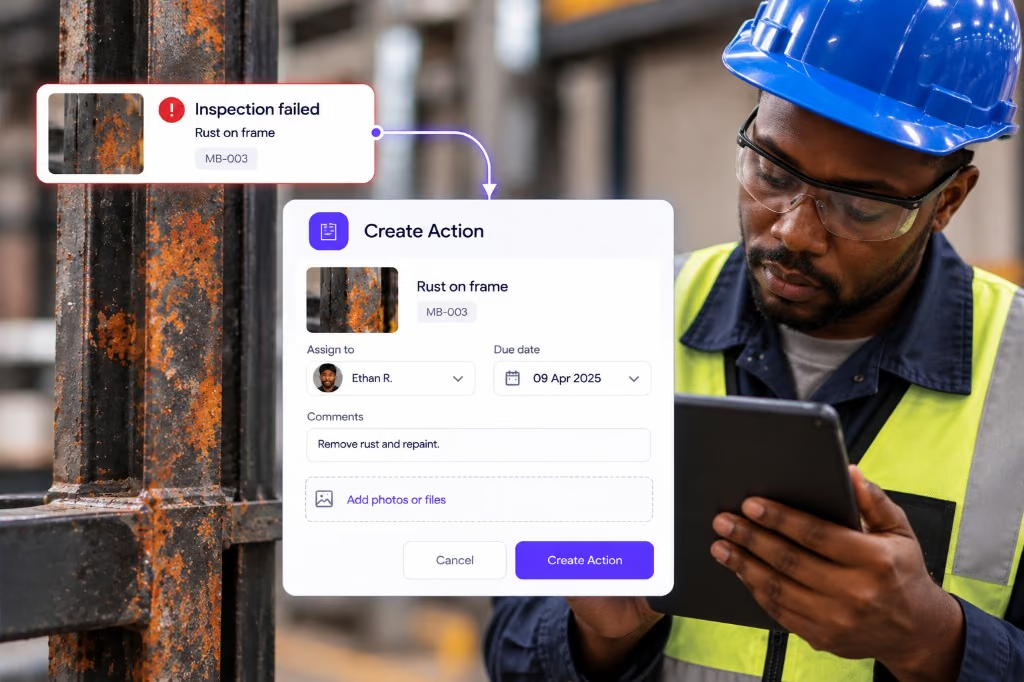
Assign an owner and a due date before you leave the site. Comments, photos and files stay on the job. Approvals and an audit trail keep the handoff clear.
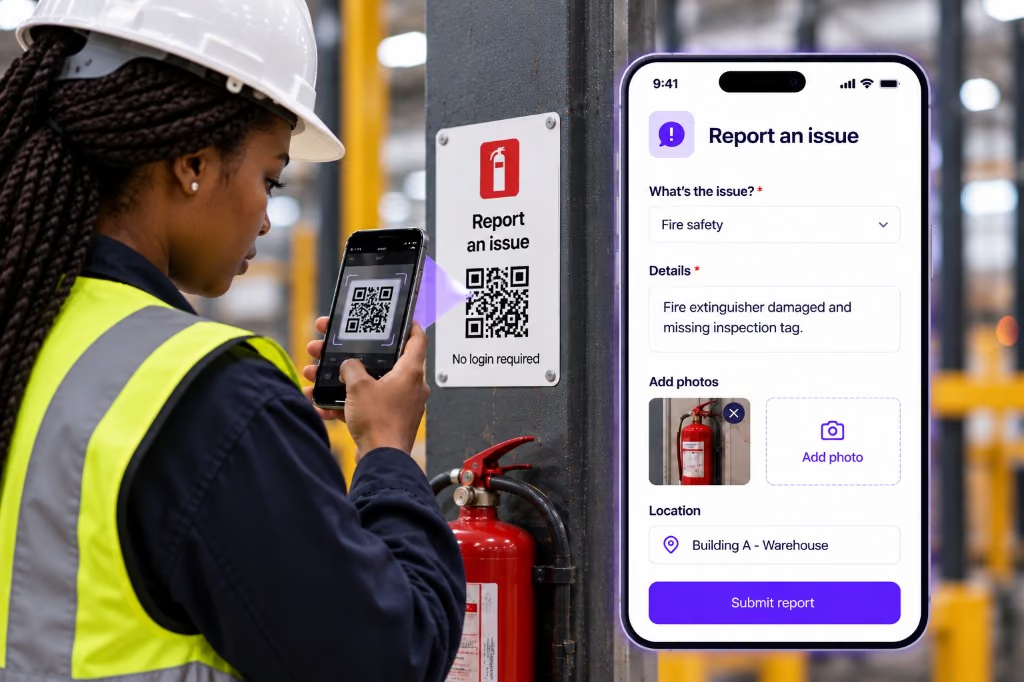
A guest, worker or visitor scans a QR and reports a problem without an account. The report lands in the same job list your team already works from.
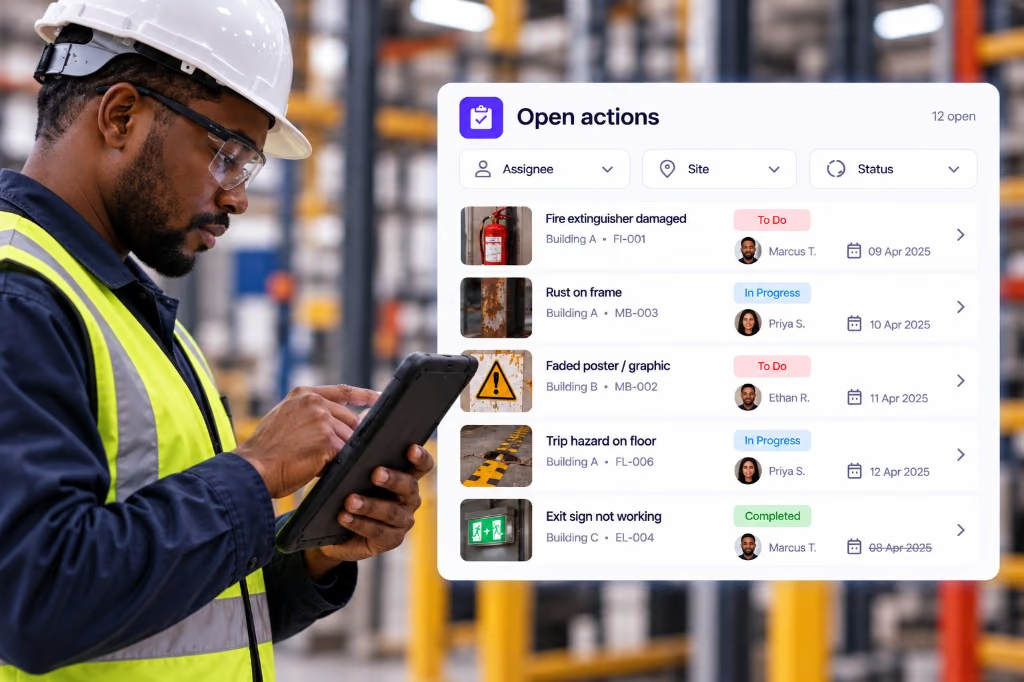
Filter open jobs by assignee, site or status. The next shift sees what is still open without chasing WhatsApp threads.
Report & see
No evening Excel rebuild. Managers see open jobs, scores and trends without waiting on emailed report packs.
Add your logo and share a clean report when the inspection finishes. Export PDF or CSV for audits and clients.
Reports and follow-ups sit in one place. Come back later and find the same record the site team filed.
See what is still open across hotels, plants, pits and buildings. Spot trends before the next visit.
Roles keep access clear. Export data when you need a report pack. API access is available when your systems need the same data.
Industries
The checklists change. Inspections, job cards and reports stay the same.
1 7 industries

Run site checks on a phone. Hazards become job cards. Workers report near misses from a QR on the safety board.

Officers patrol on a phone. Incidents become job cards. Staff or visitors report from a QR at the gate.

Check the line on a phone. Fails become job cards. Operators report faults from a QR.

Inspect pits and camps with no signal. Crews get job cards. Workers report hazards from a QR.

Run permit and LOTO checks on a phone. Fails become job cards. Visitors report from a QR at the gate.

Housekeeping inspects rooms on a phone. Maintenance gets the job card. Guests report from a QR in the room.
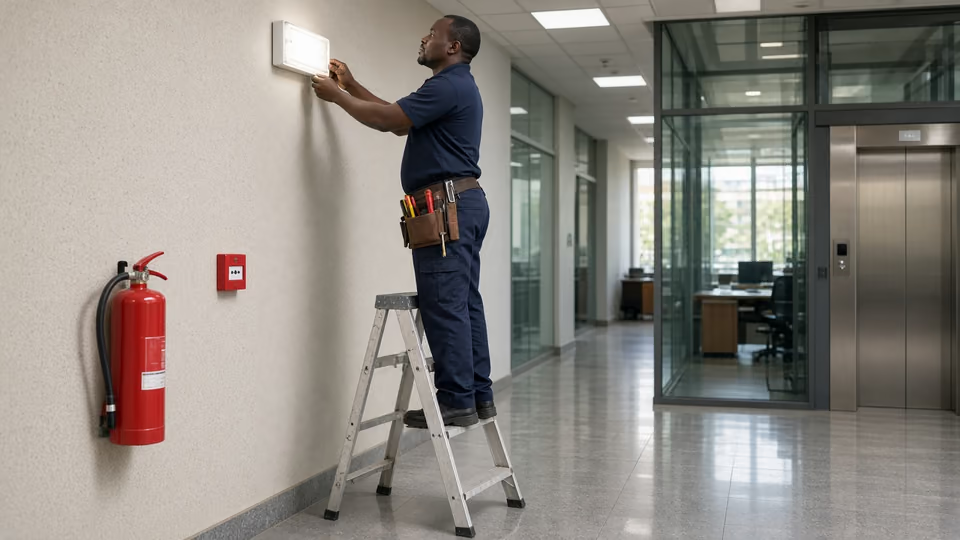
Inspect buildings on a phone. Contractors get job cards. Occupants report from a QR on each floor.
FAQ
AuditDAT is an inspection app. Use it to digitise checklists, inspect on a phone, tablet or the web, and turn a fail into a job card. It works even with no internet. Answers, photos and signatures sync when the device reconnects.
Yes. Send up to five PDF, Excel, Word or paper forms. We build them in AuditDAT so the demo uses your inspections.
Yes. Capture answers, photos and signatures with no internet. They sync when the phone reconnects.
It becomes a job card with an owner and a due date, not a note in a notebook.
Yes. A guest, worker or visitor scans a QR and reports the issue without an account. The report lands in the same job list.
Yes. You get a branded PDF or CSV when the check finishes, plus an audit trail you can come back to later.
Yes. Plan one-off or recurring inspections across teams and sites. Reminders help catch upcoming, missed or overdue checks.
Most teams start within days. We digitise five checklists and walk you through a demo. Then you run a 30-day trial on your own sites.
Free with your demo
Send five inspection forms your team uses today, as PDF, Excel or Word files, or a photo of the paper form. We build them in AuditDAT and show you the product running your own process.
Bring your forms as PDF · Word · Excel · photo of paper

Included when you book a demo. No extra fees.
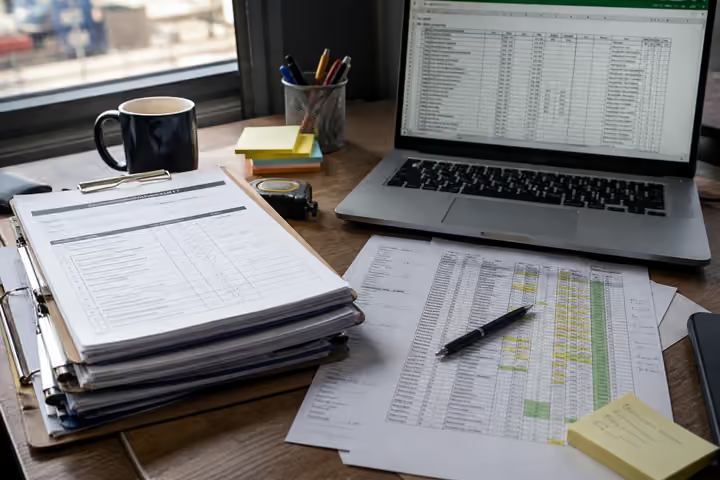
1 You send paper or Excel forms
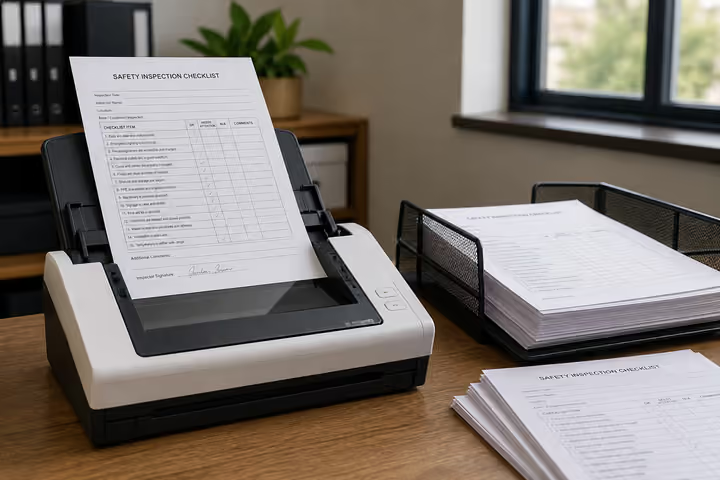
2 We convert them into AuditDAT

3 Your demo uses your inspections
Almost there
Enter your work email and we’ll keep this ready for your demo.
Before you go
Send five inspection forms your team uses today, as PDF, Excel or Word files, or a photo of the paper form. We build them in AuditDAT and show you the product running your own process.